Control units & codes
Identify supported ECUs and read fault codes. Clearing is available with premium access.
Explore supported control units, follow live data and access selected service procedures. Professional diagnostics in your pocket, for compatible Opel, Vauxhall and Holden vehicles.
Android · Compatible OBD adapter required
Supported functions depend on the vehicle, ECU and purchase.
Identify supported ECUs and read fault codes. Clearing is available with premium access.
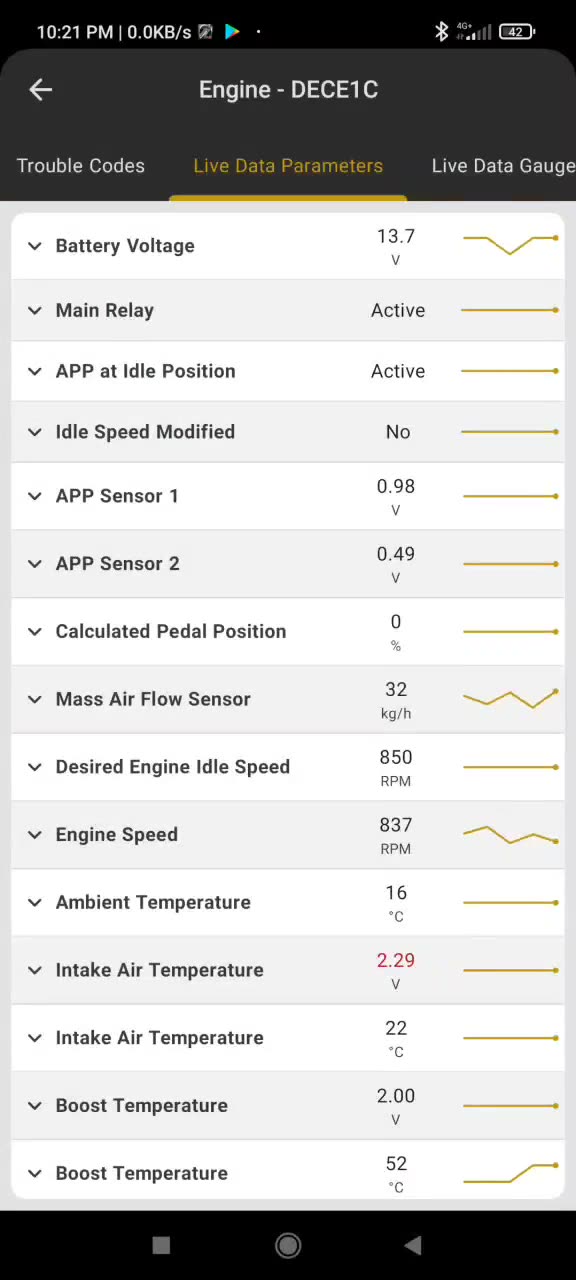
Follow available parameters and view trends while the vehicle is connected.
Access supported actuator tests and selected service functions on compatible ECUs.
A trouble code is a starting point. Get help understanding what it may mean for your vehicle and what to check next.
Explore ScanMyOpelCAN ↗Select a fault codeOpen a code from a supported control unit in ScanMyOpelCAN.
Send a diagnostic questionThe app prepares a question with available vehicle, module, code and status information, then opens Perplexity in your browser.
Explore possible next stepsThe AI response can help explain the code, suggest possible causes and checks, and point to sources.
AI analysis requires Pro access and an internet connection. Perplexity is a third-party service and may require sign-in. Information in the generated question is shared with that service. AI suggestions can be wrong; verify them before making repairs.
Real screens from a ScanMyOpelCAN diagnostic session show what’s possible with a supported vehicle.
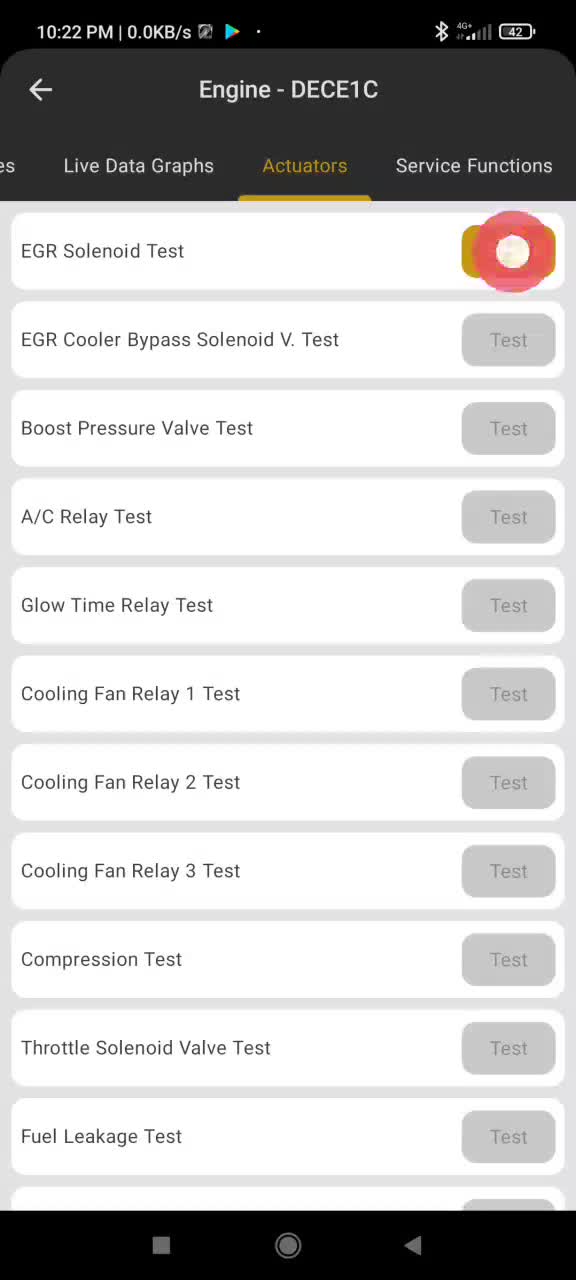
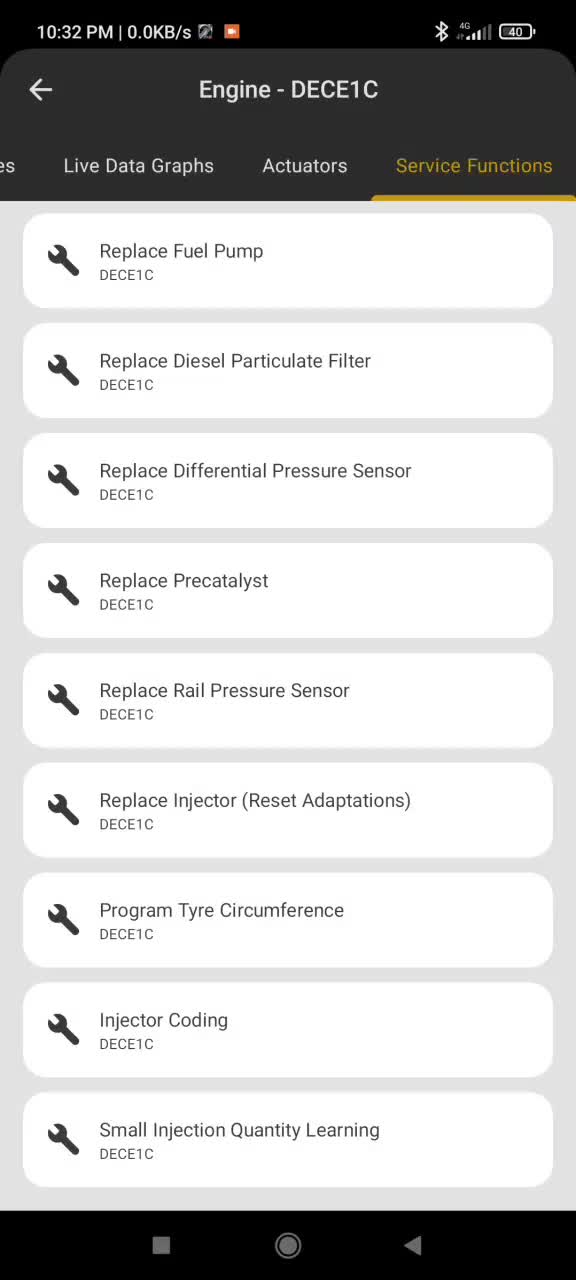
Screens are examples from one diagnostic session. Features vary by app version, purchase, vehicle and ECU.
Selected control units offer guided service procedures. Availability depends on your vehicle, engine, ECU and app version.
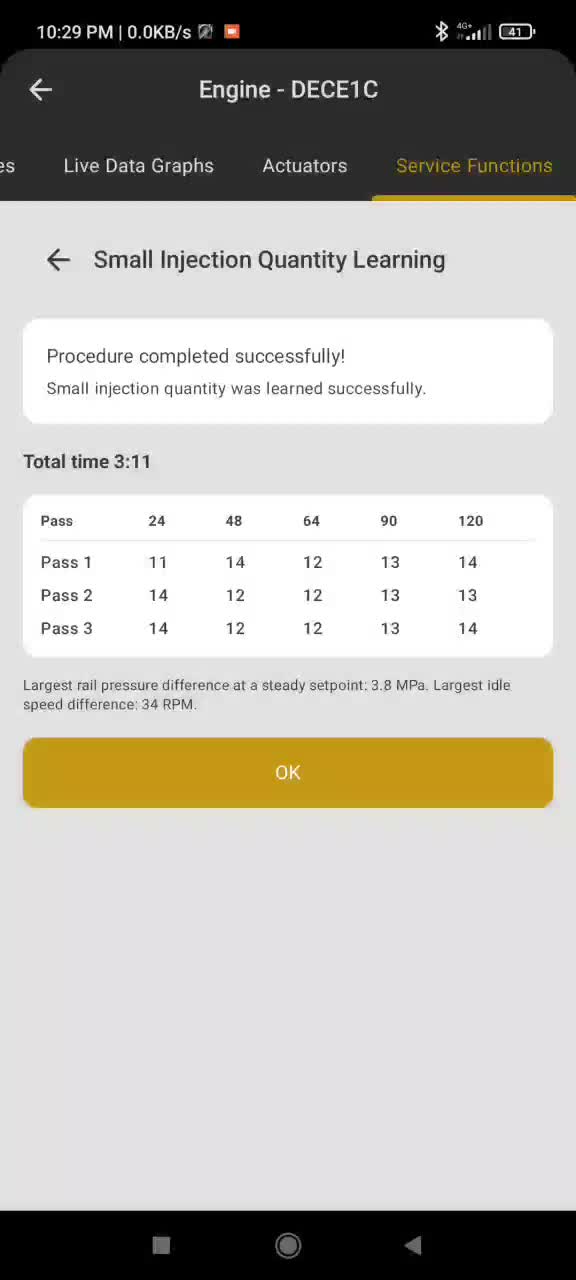
See the conditions, learning process and result for a supported engine ECU in the demonstration below.
Follow available adaptation reset procedures where supported by the connected ECU.
Some supported ECUs offer a tyre group selection procedure.
Explore examples from a ScanMyOpelCAN session on an Opel Zafira B.
See the app scan supported control units.
Explore live parameters, gauges and charts.
See an actuator test and available procedures.
A selected engine ECU: conditions, learning and result.
Selecting a tyre group and confirming the procedure.
A selected ECU: reset following injector replacement.
Edited excerpts without sound; some steps have been shortened or omitted. Features vary by app version, purchase, vehicle and ECU. Follow the instructions in the app.
The adapter connects your phone to the car. Its capabilities affect which control units you can reach and how reliably diagnostics work.
ScanMyOpel uses manufacturer-specific diagnostics, so an adapter that works with a basic OBD app may not support every command or control unit needed here.
These recommendations are based on the ScanMyOpel apps. Availability still depends on your vehicle and control unit.
Recommended in ScanMyOpelCAN for supported vehicles and manufacturer-specific diagnostics.
Recommended in ScanMyOpelCAN for many supported vehicles. Some ECUs require an OBDLink MX or a compatible vLinker device.
For supported earlier vehicles, choose a quality compatible interface. ScanMyOpel supports Bluetooth and Wi-Fi adapter settings.
Check the connection options shown in the app you intend to use. An adapter’s wireless type, the phone and the app must all be compatible.
Pair or select the adapter as directed by the app. The car’s built-in Bluetooth audio connection is not an OBD adapter.
ScanMyOpel for earlier vehicles includes Wi-Fi settings. Connect to the adapter’s network and check its address and port if needed.
Bluetooth Classic and Bluetooth Low Energy are different connection types. Check support for your specific app and phone; do not assume that every wireless adapter works on every platform.
Some inexpensive or cloned adapters implement only part of the commands needed for manufacturer-specific diagnostics. The printed ELM327 version alone does not prove compatibility.
These symptoms can have other causes too. Confirm vehicle coverage and adapter compatibility before replacing hardware.
01Plug the adapter into the vehicle diagnostic port and turn on the ignition as instructed by the app.
02Select the correct connection and adapter in the app settings. Follow the adapter manufacturer’s pairing instructions.
03Connect to the vehicle and check that the expected control units are available. If not, check compatibility and contact support.
ScanMyOpelCAN covers a wide range of Opel and Vauxhall vehicles. The application database includes the following models:
Adam · Astra H / J / K · Cascada · Corsa D / E / F · Insignia A / B · Karl · Vectra C
Antara · Crossland X · Grandland X · Meriva B · Mokka · Zafira B / C
Ampera · Ampera-e
Supported model years, engines, control units and functions vary. A model appearing here does not mean every ECU or feature is supported. For PSA-based Grandland X and Crossland X, Google Play specifies a vLinker MC+ or MS adapter.
Selected related GM vehicles, including some Holden, Saab and Chevrolet models, are also listed on Google Play; check the exact vehicle and adapter requirements.
Driving an earlier supported Opel, such as Astra G or Zafira A? Explore ScanMyOpel →
ECU identification and reading fault codes are listed as free. Clearing codes, live data and actuator tests require premium access. Consult Google Play for current options and regional pricing.
Certain advanced procedures require an additional in-app purchase. Availability and pricing are shown in the app.
Google Play currently states that an internet connection is required at startup. AI analysis also requires internet; some previously downloaded diagnostic data may be cached.
vLinker MC, MC+ and MS, and OBDLink MX are recommended. For supported PSA-based Opel models, the listing specifies vLinker MC+ or MS.